MLJAR AutoML · Python
Build machine learning models from your tabular data
Train and compare models, read their reports, and save the results for future predictions. Start with a Python script or use a conversational notebook in MLJAR Studio.
AutoML leaderboard
| Model | Log loss ↓ |
|---|---|
| Baseline | 0.433171 |
| Decision Tree | 0.312209 |
| Linear | 0.232629 |
| LightGBM | 0.134072 |
| Ensemble Best | 0.132638 |
Choose your starting point
Start in Python
Follow a standalone script or notebook from data loading to evaluation and saved predictions. The beginner examples use standard CPU models.
Use MLJAR Studio
Work in a conversational notebook with visible Python code. Use the tutorial's notebook as the starting point and ask for explanations as you go.
Learn with a real question
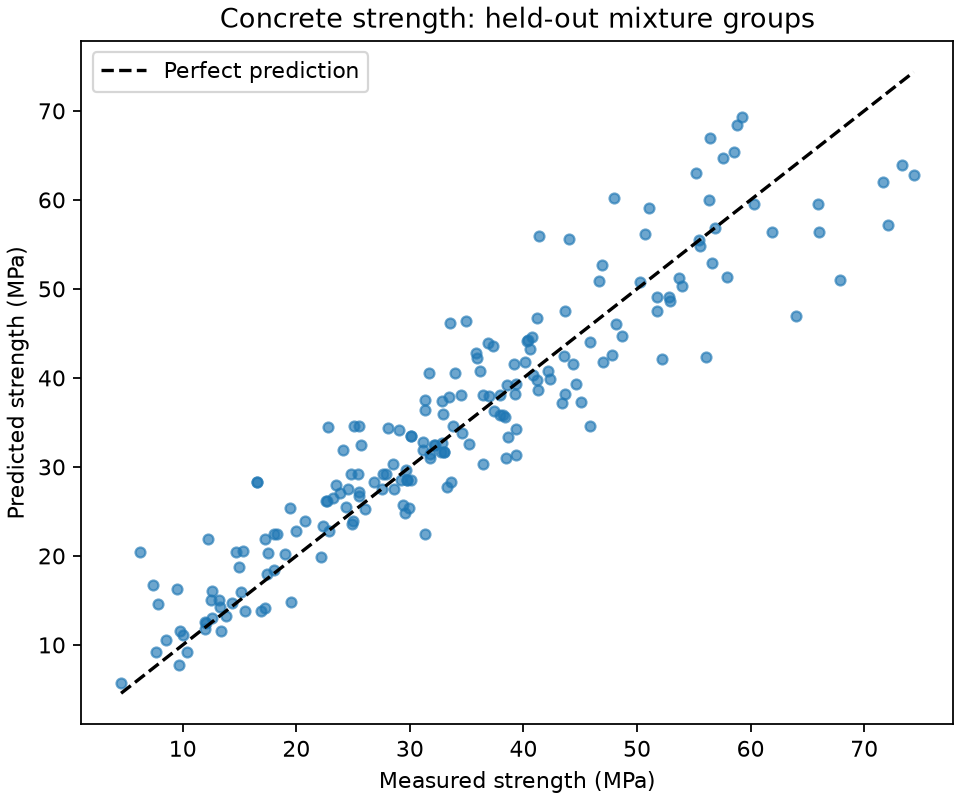
Start here · Engineering · Regression
Predict a number from a CSV
Estimate concrete strength from its ingredients and age. Compare prediction errors in MPa, read the report, and reload your saved model.
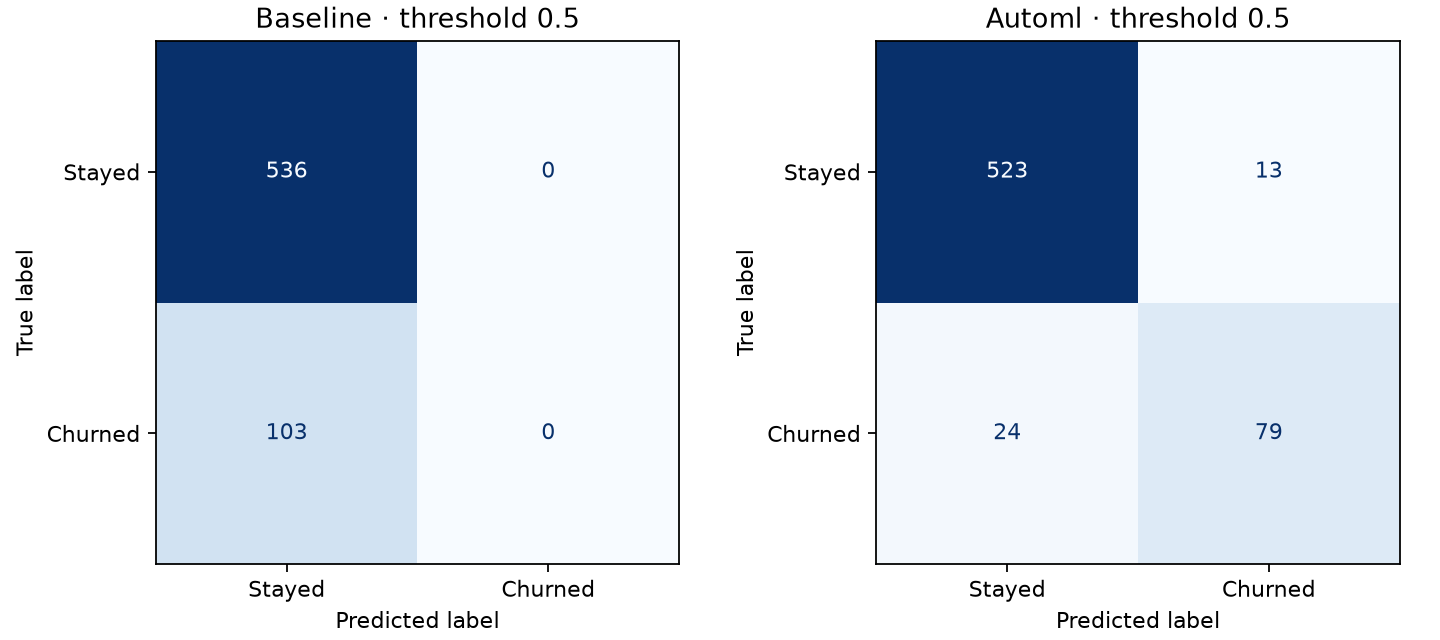
Start here · Business · Classification
Predict which customers may leave
Estimate churn probabilities from customer usage. Learn about missed customers, false alarms, and the difference between a probability and a decision.
Browse examples and advanced guides
What you can do with AutoML
Read automatic reports
Compare models in the leaderboard and inspect their settings, evaluation, and available explanations.
Generate features
Try golden features and feature discovery, then check whether they improve validation results. Discovery is included in the base installation.
Try foundation models
Use optional Kumo and TabICLv2 tabular foundation models. Check dependencies, first-use weight downloads, and hardware requirements.
Evaluate fairness
Measure differences between groups and assess bias mitigation alongside predictive performance. The choice of groups and metrics matters.
Export a prediction app
Create a web interface for individual rows and CSV files. Export files from the base package; add the optional runtime to run the app.
Customize your workflow
Choose a training mode, define an evaluation metric, or supply validation splits that reflect your data's groups and timing.
Installation
In a Python 3.11+ environment, install the release candidate:
python -m pip install 'mljar-supervised==1.4.0rc6'
The beginner workflows were tested on Python 3.11 and 3.12. See the installation guide for environment setup, supported platforms, and optional neural models, TFMs, and app dependencies.
Basic usage
Download customer_churn.py into your working folder, then run:
python customer_churn.py --output AutoML_CustomerChurn
The script downloads the reviewed data, trains models, evaluates held-out rows,
and verifies predictions after reload. Open
AutoML_CustomerChurn/automl/README.html to read your report.
Follow the complete explanation.
Keep going
Save and reload models · API reference · Get help · Contribute · Source and license